By Piotr Sikora

  • security

Urgent Alert: Removing Unwanted Files from Your WordPress Server (/wp-content/uploads/et_temp/slots-online)

I had a chance to work with one of websites which was affected by hackers attack. Files structure was looking like hell and needed to be clear.

Let me show you one of directories added after this attack:

After running command which counts files in this directorie:

find ./wp-content/uploads/et_temp | grep -e '\.html$' | wc -l

I've seen number files: 7497

Each of this file was accessible from browser so after running ie: domain/wp-content/uploads/et_temp/slots-online/filename.html

...page was opening (full style page).

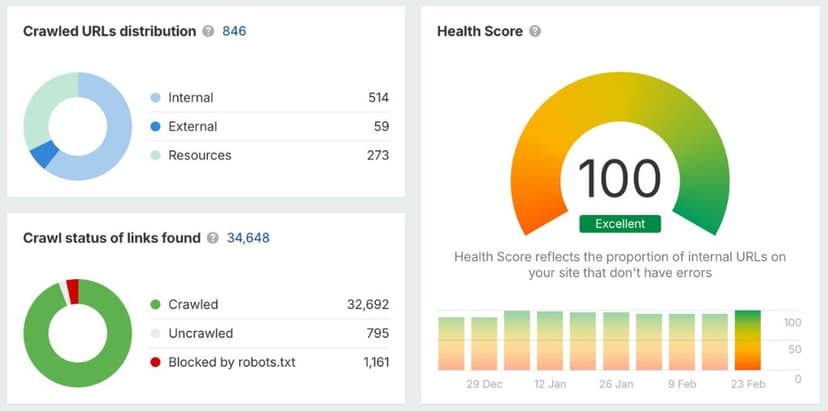
Have you had this kind of issues? Check your WP instance with health-check tools.

Categories

Recent Posts

About Me

Piotr Sikora - Process Automation | AI | n8n | Python | JavaScript

Piotr Sikora

Process Automation Specialist

I implement automation that saves time and money, streamlines operations, and increases the predictability of results. Specializing in process automation, AI implementation, and workflow optimization using n8n, Python, and JavaScript.

n8n Workflows

n8n workflow automation templates

Explore my workflow templates on n8n. Ready-to-use automations for blog management, data collection, and AI-powered content processing.

3Workflow Templates

• Auto-Categorize Blog Posts with AI

• Collect LinkedIn Profiles

• Export WordPress Posts for SEO

Similar Articles

Discover more related content

n8n Workflow: Export WordPress Posts for SEO

n8n Workflow: Export WordPress Posts for SEO

n8n workflow for content manager and SEO specialists

WordPress: Disable XML-RPC What It Is and Why It's Important

WordPress: Disable XML-RPC What It Is and Why It's Important

Learn what WordPress XML-RPC is, why xmlrpc.php is a security risk, and how to disable it using .htaccess.

How I improved my Next.js website SEO

How I improved my Next.js website SEO

From total beginner to 99 point in ahres.com in 6 weeks