
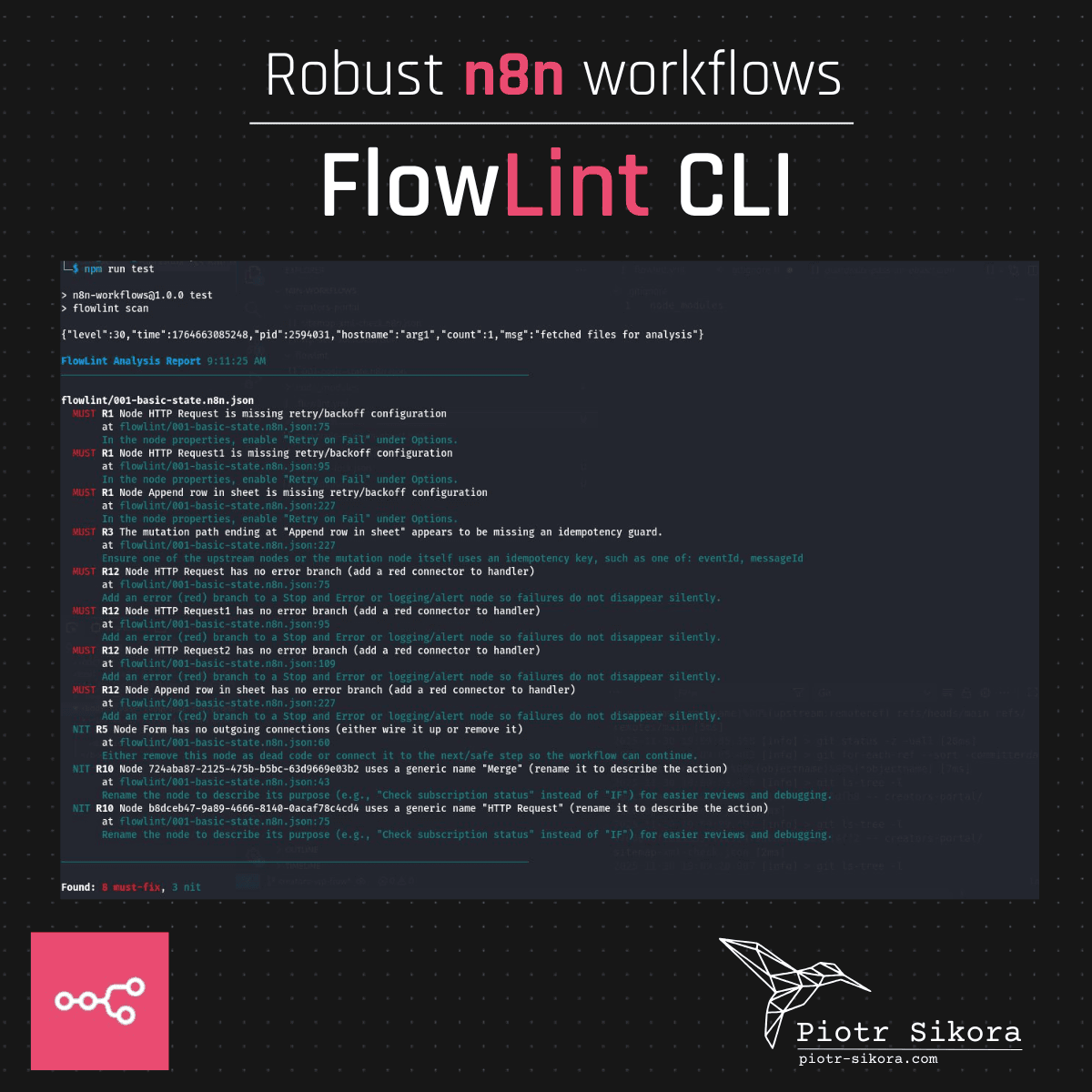
I tested the FlowLint CLI yesterday, and one thing instantly came to mind: 👉 This tool makes my n8n workflows robust.
I've already added it to my public n8n-workflows repository along
with a .flowlint YAML configuration file --- and just like that, it
started working seamlessly!
Quick Setup
To start using FlowLint CLI follow below steps.
1. NPM Init in your n8n workflows directory
Run npm init to start node project in a driectory where you keep your n8n workflows:
npm init
2. Set test command
During the setup, when asked for a test command, enter:
flowlint scan
3. Install FlowLint
Then install FlowLint:
npm i flowlint
And... you're ready!
Test your Flowlint from CLI
Now simply run:
npm run test
FlowLint will automatically lint all workflows defined in your directory. If you want to define which files to lint, you can use a YAML config.
Flowlint YAML Configuration
To adjust own FlowLint configuration, you can use a YAML config file kept in the root directory of your project in file .flowlint.yml. Below is a sample configuration file from my n8n-workflows repository:
version: 1
files:
  include:
    - "**/*.n8n.json"
    - "**/workflows/**/*.json"
  ignore:
    - "samples/**"
    - "creators-portal/**"
    - "**/*.spec.json"
    - "guardrails-pass-an-object.json"
    - "guardrails-testing.json"

report:
  annotations: true
  summary_limit: 25

rules:
  rate_limit_retry:
    enabled: true
    max_concurrency: 5
  error_handling:
    enabled: true
    forbid_continue_on_fail: true
  secrets:
    enabled: true
  idempotency:
    enabled: true
  dead_ends:
    enabled: true
  long_running:
    enabled: true
    max_iterations: 1000
    timeout_ms: 300000
.flowlint.yml files section
Important part from files section is:
files:
  include:
    - "**/*.n8n.json"
    - "**/workflows/**/*.json"
  ignore:
    - "samples/**"
    - "creators-portal/**"
    - "**/*.spec.json"
    - "guardrails-pass-an-object.json"
    - "guardrails-testing.json"
This configuration file checks all workflows in my repository, except for the ones in the samples directory, creators-portal directory, **/*.spec.json files, guardrails-pass-an-object.json and guardrails-testing.json.
So easilly said you can point which files FlowLint should check and which to ignore.
.flowlint.yml rules section
Let's look at the rules section:
rules:
  rate_limit_retry:
    enabled: true
    max_concurrency: 5
  error_handling:
    enabled: true
    forbid_continue_on_fail: true
  secrets:
    enabled: true
  idempotency:
    enabled: true
  dead_ends:
    enabled: true
  long_running:
    enabled: true
    max_iterations: 1000
    timeout_ms: 300000
If you want to disable a rule, you can set rate_limit_retry: false.
Ie. if you want to disable rate_limit_retry rule, you can set rate_limit_retry: enabled: false.
With this option disabled, FlowLint will not check for rate limit retry in your workflows.
But if you want to enable it, you can set
rate_limit_retry:
  enabled: true
and in your console you will see something like this:
    MUST R1 Node HTTP Request is missing retry/backoff configuration
       at flowlint/001-basic-state.n8n.json:75
       In the node properties, enable "Retry on Fail" under Options.
Have you tested it yet?
A few days ago, I wrote a post about FlowLint @ Linkedin - the n8n linter available as a GitHub App. Yesterday, Martin Holý (thanks, Martin! 🙌) let me know about the new FlowLint CLI, and it's a game-changer.
If you're an #n8n fan, you must check it out. This tool will help you make your workflows more reliable, maintainable, and error-proof.
More information about FlowLint CLI: https://flowlint.dev/
n8n-workflows repository where you can find sample workflows and ready to use configuration of FlowLint: https://github.com/pjsikora/n8n-workflows









Comments